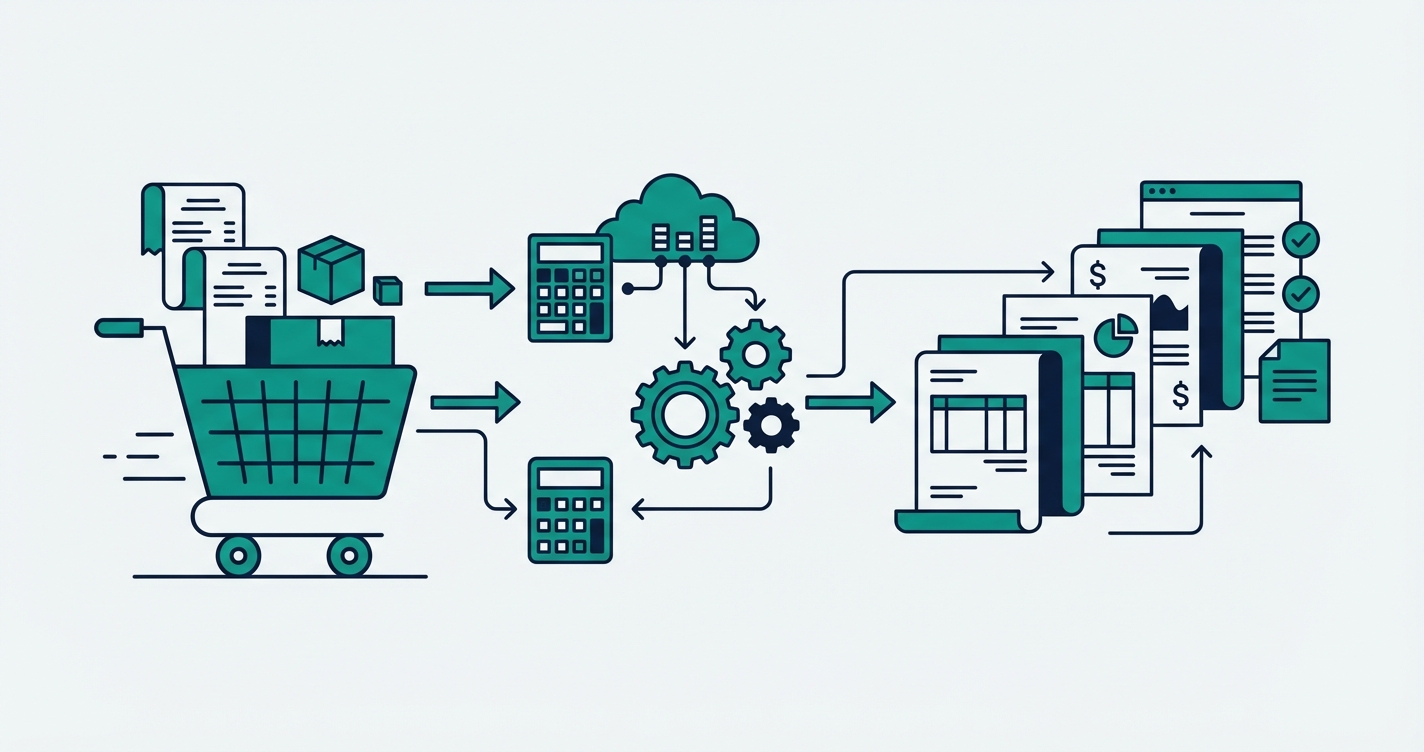
Running a Shopify store involves a surprising amount of repetitive work that has nothing to do with growing your business. Every order triggers a chain of tasks that stretches from the moment a customer clicks "Buy" to the day the package arrives at their door. When you process ten orders a day, you can handle each step by hand without breaking a sweat. When that number climbs to fifty or a hundred, those same steps become a full-time job for someone on your team. The good news is that almost every link in this chain can be automated, and the merchants who figure that out first gain a serious competitive advantage.
The manual workflow most merchants follow
Before we talk about solutions, it helps to lay out the full order lifecycle as most Shopify merchants experience it. Understanding where time actually goes is the first step toward reclaiming it.
Receiving and reviewing orders
A new order arrives in Shopify. If you sell on multiple channels, it might also arrive on Bol.com, Amazon, or your wholesale portal. Someone on your team needs to check whether the order looks correct, whether the items are in stock, and whether the shipping address is valid. For single-channel stores this is straightforward, but multi-channel merchants often find themselves logging into two or three dashboards just to get a complete picture of what needs to ship today.
Checking and updating inventory
Once you confirm the order, inventory needs to be adjusted. If you sell the same product across Shopify and a marketplace like Bol.com, the stock level on every platform needs to reflect that sale immediately. Do this manually and you introduce a dangerous lag. A product that sells on Shopify at 10:00 AM might still show as available on Bol.com at 10:05 AM, long enough for another customer to buy something you no longer have. Overselling leads to cancelled orders, refund requests, and damaged marketplace ratings that take months to recover.
Creating invoices
For every order, someone needs to create an invoice in your accounting software. If you use Moneybird, Exact Online, or Xero, this means opening the platform, entering customer details, adding line items with the correct tax rates, and sending the invoice. Each one takes two to five minutes. At fifty orders per day, that is easily two hours of pure data entry, and it is the kind of work where a single mistyped VAT number or wrong tax rate can create accounting headaches that surface months later during an audit.
Pick, pack, and ship
With the order confirmed and the invoice created, someone needs to pick the items from your warehouse or storage area, pack them, generate a shipping label, and hand the package to your carrier. If you use an external fulfillment partner, you need to forward the order details to them with the correct product information, quantities, and shipping address. Doing this by hand is not just slow but error-prone: a wrong SKU or a transposed digit in a postal code means a package that goes to the wrong destination.
Updating tracking information
Once a package ships, the tracking number needs to flow back to Shopify so the customer gets notified. If the order originated on Bol.com, the tracking number also needs to be uploaded there, because Bol.com's seller performance metrics penalize late or missing tracking updates. Copy-pasting tracking numbers between platforms is tedious, and missing even one means a "Where is my order?" email landing in your support inbox.
Handling returns and refunds
Finally, there are returns. A customer sends a product back, and now you need to receive and inspect the item, restock your inventory across all channels, create a credit note in your accounting software, and issue the refund in Shopify. Each return can take ten to fifteen minutes of manual processing, and during peak periods the backlog grows quickly.
How automation eliminates each bottleneck
The remarkable thing about the workflow above is that every single step follows predictable, rule-based logic. That makes it a perfect candidate for automation. Here is what changes when you replace manual work with automated systems.
Webhooks replace manual order checking
Shopify webhooks notify your integrations the instant an order is placed, paid, fulfilled, or cancelled. Instead of logging into multiple dashboards to see what needs attention, every event triggers an automated response. An order placed on Bol.com can be automatically imported into Shopify within seconds, complete with customer details, product information, and shipping address. Your team sees one unified order list in Shopify regardless of where each order originated.
Real-time inventory synchronization prevents overselling
With a proper integration in place, selling an item on any channel updates the stock level on every other channel within seconds. Our BolSync integration handles exactly this between Shopify and Bol.com, including support for multi-location inventory and reserved stock quantities. The dangerous five-minute lag between a sale and a manual stock update simply disappears.
Automatic invoice creation eliminates data entry
When an order is placed, your accounting software receives a perfectly formatted invoice without anyone touching a keyboard. Our MoneybirdSync integration creates Moneybird invoices instantly for every Shopify order, with smart contact matching, configurable tax rules, and the ability to customize invoice behavior based on product tags or order properties. The two hours of daily invoicing work drops to zero, and the invoices are more accurate than the manually created ones ever were.
Shipping label generation and tracking sync
Automated fulfillment workflows generate shipping labels the moment an order is ready to ship, pulling the correct carrier and service level based on rules you define. When the package ships, tracking information flows back to Shopify automatically, and from there to any connected marketplace. BolSync pushes tracking numbers to Bol.com in real time, keeping your seller performance scores high without anyone copying and pasting a thing.
Automated return processing
When a return is initiated, automation handles the entire chain: inventory is restocked across all channels, a credit note is created in your accounting software, and the refund is processed. What used to take fifteen minutes of switching between platforms now happens in seconds, and no step gets skipped or forgotten.
Need a custom integration for your Shopify store?
Real examples with real integrations
This is not theoretical. Let us walk through what a fully automated day looks like for a merchant who sells on both Shopify and Bol.com and uses Moneybird for accounting.
A customer orders a product on Bol.com at 9:00 AM. BolSync detects the new order and creates it in Shopify within seconds. Inventory updates on both platforms immediately. MoneybirdSync creates the corresponding invoice in Moneybird with the correct customer details, line items, and tax rates. Your warehouse team sees the order in their Shopify fulfillment queue and ships it. When they add the tracking number in Shopify, BolSync sends it to Bol.com automatically. The customer receives their tracking notification. If they later return the product, the return flows back through the same automated chain in reverse.
Total manual effort for the entire order lifecycle: zero. The merchant's team spends their time on tasks that actually grow the business instead of copying data between dashboards.
For merchants with more specialized needs, the same approach applies. SimplyPrintSync automatically creates 3D print jobs in SimplyPrint when Shopify orders arrive, mapping each product to the correct STL file and print settings. The principle is always the same: identify the repetitive steps, define the rules, and let software handle the execution.
The numbers behind automation
Merchants who automate their order workflow typically reclaim significant time each week. Invoice creation and accounting tasks alone account for two to four hours per day at moderate order volumes. Inventory management across channels adds another one to two hours. Order forwarding, fulfillment coordination, and tracking updates contribute another hour. Return processing varies, but during busy periods it can easily consume an hour or more daily.
For a store processing fifty to a hundred orders per day across multiple channels, the total savings add up to twenty or thirty hours per week. That is nearly a full-time position worth of labor, redirected from repetitive data entry to activities that generate revenue. And beyond the time savings, the error rate drops dramatically. No more mistyped invoice amounts, no more oversold products, no more forgotten tracking uploads.
How to get started
The path to automation does not require a massive upfront investment or a six-month implementation project. Start by identifying your biggest bottleneck, the task that consumes the most time or causes the most errors. For most merchants, that is either inventory synchronization or invoice creation. Automate that first, measure the results, and then move to the next bottleneck.
Map out your ideal workflow by describing how things would work if every step happened automatically. What data needs to flow from where to where? What rules determine how each order should be processed? This description becomes the specification for your automation.
At SyncShopify, we build these automations and deliver them as managed Shopify apps with affordable monthly pricing. No large development fee upfront, no separate hosting or maintenance costs. You describe your workflow, we build the integration, and you install it like any other Shopify app. Most integrations are live within one to four weeks.
If you are spending hours every day on tasks that follow the same pattern for every order, those hours are waiting to be automated away. Get in touch and tell us about your workflow. We will have a proposal ready within 24 hours showing you exactly how much time and effort you can save.